Massachusetts Wireless Benefit Guide: Free iPhone & DTA Perks
Living in Massachusetts is expensive, and staying connected shouldn’t add to your stress. Whether you are a student in Amherst, a veteran in Worcester, or a senior in Boston, having a working smartphone in 2026 is a safety requirement.
Massachusetts has some of the best digital equity programs in the country, but the DTA Connect and MassHealth portals can be difficult to navigate. I am here as your community navigator to help you get the free or discounted services you want, including a free iPhone government phone option through Bay State digital equity pathways.
Why You Need to Move Fast
Do not wait for an emergency to apply. In 2026, Massachusetts is seeing a surge in applications due to new eligibility rules for MassHealth and the DTA. This has caused a backlog in manual reviews at the Department of Transitional Assistance (DTA) offices, especially for applicants relying on MassHealth phone aid verification.
If you apply today, you can get your phone before you actually need it for a job interview, a doctor’s call, or an emergency. Waiting until you are in crisis is the biggest mistake you can make.
The Massachusetts Lifeline Advantage
The Lifeline Program is a federal benefit that provides a monthly $9.25 discount on your phone or internet service. In Massachusetts, this isn’t just a discount; it’s your pathway to a free device.
While many states are phasing out voice-only support, Massachusetts has maintained the $5.25 voice-only credit through at least December 1, 2026.
- The Tribal Benefit: If you live on federally recognized Tribal lands such as the Wampanoag Tribe of Gay Head/Aquinnah, your benefit jumps to $34.25 per month. This almost always unlocks premium 5G plans and higher-tier smartphones at $0 cost.
- The Verizon Link: If you use your Lifeline benefit for Fios Home Internet in MA, you automatically qualify for the Verizon Forward discount. This can bring your home internet bill down to $0 in many areas.
Massachusetts-Based Programs
If you are part of these state-specific programs, you can bypass most of the manual review process.
The DTA Connect Shortcut
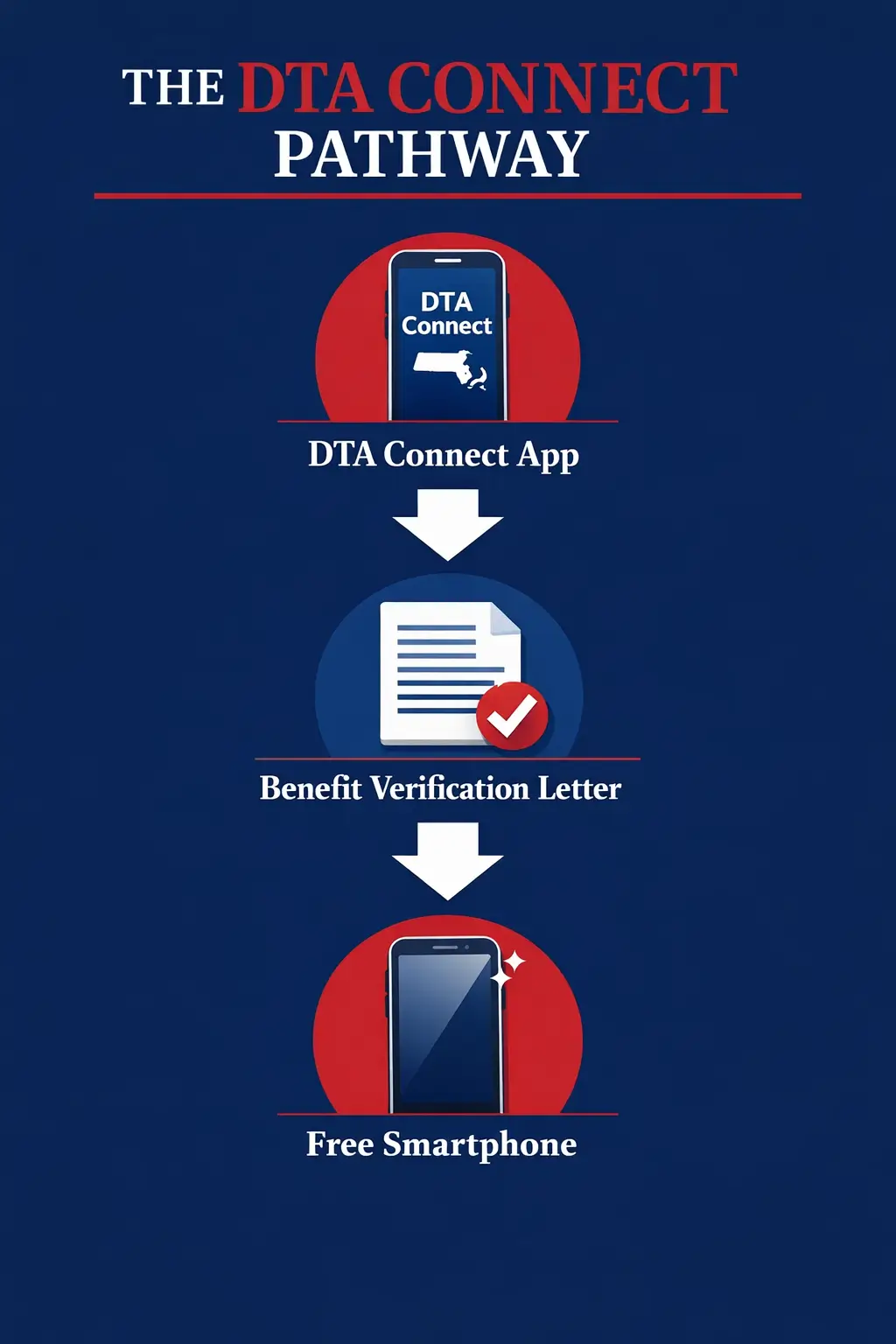
Most residents qualify through SNAP (Food Stamps) or TAFDC/EAEDC (Cash Assistance). Do not use a photo of your plastic EBT card; it will be rejected because it lacks a date.
The Fix (DTA Connect app benefit): Log in to the DTA Connect App and download your Benefit Verification Letter. This PDF is the only proof the phone companies accept without question.
The MassGrant Pathway
If you are a student at UMass, Bunker Hill CC, or any MA state college, you have a shortcut. Receiving the MassGrant or a Federal Pell Grant for the 2025-2026 academic year makes you automatically eligible, and this MassGrant student mobile perk is one of the fastest routes when your award letter is clear.
- The Document: Use your official Financial Aid Award Letter. It must include your name and the grant name.
The Safe Connections Act (2026)
New for 2026, if you are leaving an abusive situation, you can get 6 months of emergency service. You can qualify even if you make more money than usual, up to 200% of the poverty level.
- The Rule: You must provide a Line Separation Request document from your current carrier. This protects your privacy and keeps your number safe from an abuser.
The Connected & Online Program
Massachusetts recently launched the Connected & Online Program through the Massachusetts Broadband Institute (MBI).
This program distributes laptops and tablets to local organizations and libraries for public lending.
- The Action: If you need a device but don’t qualify for Lifeline, visit your local library in cities such as Springfield or New Bedford and ask about their Device Lending Program.
Who Actually Has the iPhones in Massachusetts? (2026 Comparison)
| Provider | MA Specialty | Best 2026 Device | Plan Details |
| AirTalk Wireless | Best stock in Boston/Worcester | iPhone 8 or XR | Unlimited Talk/Text + 10GB Data |
| TruConnect | Best for International Students | iPhone 8 / Pixel | Calls to 200+ Countries |
| SafeLink Wireless | Reliable statewide coverage | Refurbished iPhone 7/8 | High-signal reliability |
| Assurance Wireless | MassHealth (Medicaid) Bundles | Free Android Smartphone | Direct link with DTA |
While service is $0/month, free iPhones are typically older models (8 or XR). For a 5G device like an iPhone 12, expect a one-time co-pay of about $39.99. This is the common upgrade route for people looking for a subsidized 5G iPhone Boston option when inventory allows.
Avoid These Common Massachusetts Rejection Traps
The Mailing vs. Physical
P.O. Box warning: The National Verifier will reject a P.O. Box as a physical address. You must provide a street address. If you are unhoused, use the Map Pin feature in the application to indicate your current location.
The Name Mismatch
If your DTA Connect account shows you applied as Bob, the state will flag your application for manual review. This adds three weeks to your wait. Copy your name letter-for-letter from your MassHealth card.
The Monday Morning Crash
The DTA and Lifeline portals often experience high login volume on Monday mornings, causing crashes. Try applying on a Thursday morning or late at night for the fastest speed.
Common Rejection Traps: Why Your Massachusetts Application Might Stall
Applying for a free device in Massachusetts is a race against stock levels. Here is how to avoid the Pending trap.
- Match Your Details: Use the exact name found on your DTA Connect or MassHealth account.
- Provide Street Address: Use a physical location only; the government will reject any P.O. Box.
- Time Your Application: Submit on Thursdays or late at night for a faster, stable website.
- Use Map Pins: Drop a pin on the application map if you do not have a permanent street address.
- Check Photo Quality: Take clear, well-lit photos that show all four corners of your documents.
- Verify Letter Date: Only upload benefit award letters issued within the last 12 months.
- Skip EBT Photos: Upload your official Benefit Verification Letter instead of your plastic card.
- Keep Emails Consistent: Use the same email address for the state portal and your phone carrier.
How to Apply: Find Your Fastest Route
Speed is everything when iPhone stock is low. Choose the method that fits your tech comfort level, but remember that digital methods are almost always faster.
Method 1: The Online
- Go to LifelineSupport.org.
- Use your legal name exactly as it appears on your ID.
- The system will try to verify your MassHealth or SNAP status instantly.
- Once approved, you’ll get an Application ID. Take this ID to your chosen carrier (for example, AirTalk) to claim your phone.
Method 2: Carrier-Direct Enrollment (Best for Stock)
- Choose a provider and start with an internal review page to confirm device options, such as AirTalk Wireless, then follow their enrollment steps using your ZIP Code.
- Upload your DTA Benefit Verification Letter (not a photo of your EBT card!) directly to their portal.
- They will link your data to the government system on your behalf. This is often the best way to reserve a specific iPhone model before someone else grabs it.
Method 3: In-Person Digital Navigators
- Visit a MassHire Career Center or your local library in cities like Boston, Springfield, or Worcester.
- Ask for a Digital Navigator. These are real people trained to help you scan your papers correctly.
- They ensure your photos aren’t blurry, a top reason the government rejects paper or mobile uploads.
FAQs
Can I get a free laptop?
Lifeline usually only covers phones. However, many Digital Navigators in Cambridge and Boston can help you find free or low-cost laptops through local refurbishers.
What is the 30-Day Activity Rule?
Use it or lose it! You must make one call, send one text, or use data off Wi-Fi once every 30 days to keep your free service active.
What if I lose my phone?
Most carriers provide only one free phone. If you lose it, you will be charged a replacement fee, typically around $25.
Moving?
If you are relocating, use a guide for your new state. Nearby options include New York, Pennsylvania, and Maryland. Other major states commonly searched include California, Texas, Florida, Illinois, Ohio, Georgia, New Jersey, Connecticut, Rhode Island, New Hampshire, Vermont, and Maine.
Conclusion
Don’t let a bill you shouldn’t be paying eat into your grocery money. Whether you are navigating the Boston job market or attending classes in Worcester, a free smartphone is your bridge to the resources you need.
Take Action Now: Log into your DTA Connect Account to get your proof, then head to LifelineSupport.org to secure your free iPhone today.