
AirTalk Wireless Review | Free Phone, Smartphone & Tablet
AirTalk Wireless is one of the Lifeline providers many people compare when they want no-cost monthly phone service and a possible phone option with their application. The main reason users search for AirTalk is simple: the provider is known for listing stronger device options than many basic Lifeline providers, including iPhone, Android, tablet, and SIM-only routes.
That does not mean every applicant gets the same phone, the same plan, or the same approval timeline. Lifeline eligibility, application approval, device availability, shipping, and activation are handled by AirTalk or the official verification process. Valid Wireless Services does not approve applications, issue phones, or control provider inventory.
AirTalk Wireless is worth comparing if you want a Lifeline provider with possible iPhone or better Android options. It is not the best fit if you need a guaranteed phone model, guaranteed same-day approval, or fixed inventory before applying.
Is AirTalk Wireless Legit and Worth It?
Yes. AirTalk Wireless is a real Lifeline wireless provider. It is worth comparing if you want a provider that may offer more device choice than a basic SIM-only Lifeline provider.
The important limitation is inventory. A phone model you see during one visit may not be available later, and a provider can change available devices, plan terms, shipping details, or upgrade pricing. Treat AirTalk’s phone list as current-provider availability, not as a guarantee.
What Exactly Is AirTalk Wireless?
AirTalk Wireless is a Lifeline wireless provider that offers monthly phone service to eligible users. Depending on your location and application path, AirTalk may also show phone, tablet, SIM-only, or discounted upgrade options.
AirTalk is different from many smaller Lifeline providers because its website often emphasizes device choice. That is useful for users who care about getting a usable smartphone, but the final device selection still depends on provider terms and inventory at the time of application.
Note: Also check our Cintex Wireless Review if you are comparing providers that may list iPhone or Android device options.
AirTalk Wireless Phone Options
AirTalk may show different phone options based on ZIP code, application status, inventory, and current provider terms. Some devices may be listed as free for eligible users, while others may be discounted upgrades.
The safest way to think about AirTalk phone options is by category rather than by guaranteed model.
| Device category | What users may see | Approval-safe note |
|---|---|---|
| iPhone options | Older or certified pre-owned iPhone models may appear when available. | No exact iPhone model is guaranteed before provider confirmation. |
| Android phones | Samsung, Motorola, Google Pixel, or other Android options may appear. | Brand and model depend on current inventory and application flow. |
| Tablet options | Some users may see tablet offers or tablet-related promotions. | Tablet terms, fees, and availability can vary. |
| SIM-only or BYOD | Users with a compatible phone may prefer service without waiting for a device. | This may be simpler if device inventory is limited. |
Possible iPhone Options
AirTalk is often searched by people looking for an iPhone through Lifeline. Depending on availability, users may see older iPhone models, refurbished devices, or certified pre-owned options. The exact model should be confirmed only on AirTalk’s official application page.
If you specifically want an iPhone, do not apply based only on a blog post, social media claim, or old screenshot. Check the current device choices during the official application process.
Possible Android Options
AirTalk may also list Android phones from brands such as Samsung, Motorola, Google Pixel, or other manufacturers. Android availability is usually broader than exact iPhone availability, but the same rule applies: the final model depends on what the provider shows during your application.
Best AirTalk Wireless Phones Right Now
The best AirTalk phone is the best available model shown to you during checkout or application review. For many users, a newer iPhone, a reliable Samsung Galaxy model, or a Google Pixel-style Android may be attractive. For others, a simpler Android or SIM-only route may be better if they care more about quick service than exact device type.
AirTalk Wireless Eligibility: Do You Qualify?
AirTalk Wireless Lifeline eligibility generally follows the Lifeline program’s standard routes. You may qualify through participation in an accepted assistance program or through household income. The provider or official verification process makes the final decision.
Path A: Program-Based Eligibility
Many users qualify because they participate in an accepted assistance program. Common examples include:
- SNAP: Supplemental Nutrition Assistance Program.
- Medicaid: Including state-specific Medicaid names.
- SSI: Supplemental Security Income.
- Federal Public Housing Assistance: Often connected with housing assistance documentation.
- Veterans Pension or Survivors Benefit: For qualifying veterans or surviving family members.
- Certain Tribal programs: Additional Tribal eligibility paths may apply in qualifying areas.
Path B: Income-Based Eligibility
If you do not qualify through a listed assistance program, you may still qualify through household income. Lifeline commonly uses an income threshold based on 135% of the Federal Poverty Guidelines. Because income limits can change, use the current official chart or the provider’s application page before relying on a number.
How to Apply for AirTalk Wireless
Applying is not just choosing a phone. You need to complete the provider application and pass the required identity and eligibility review.
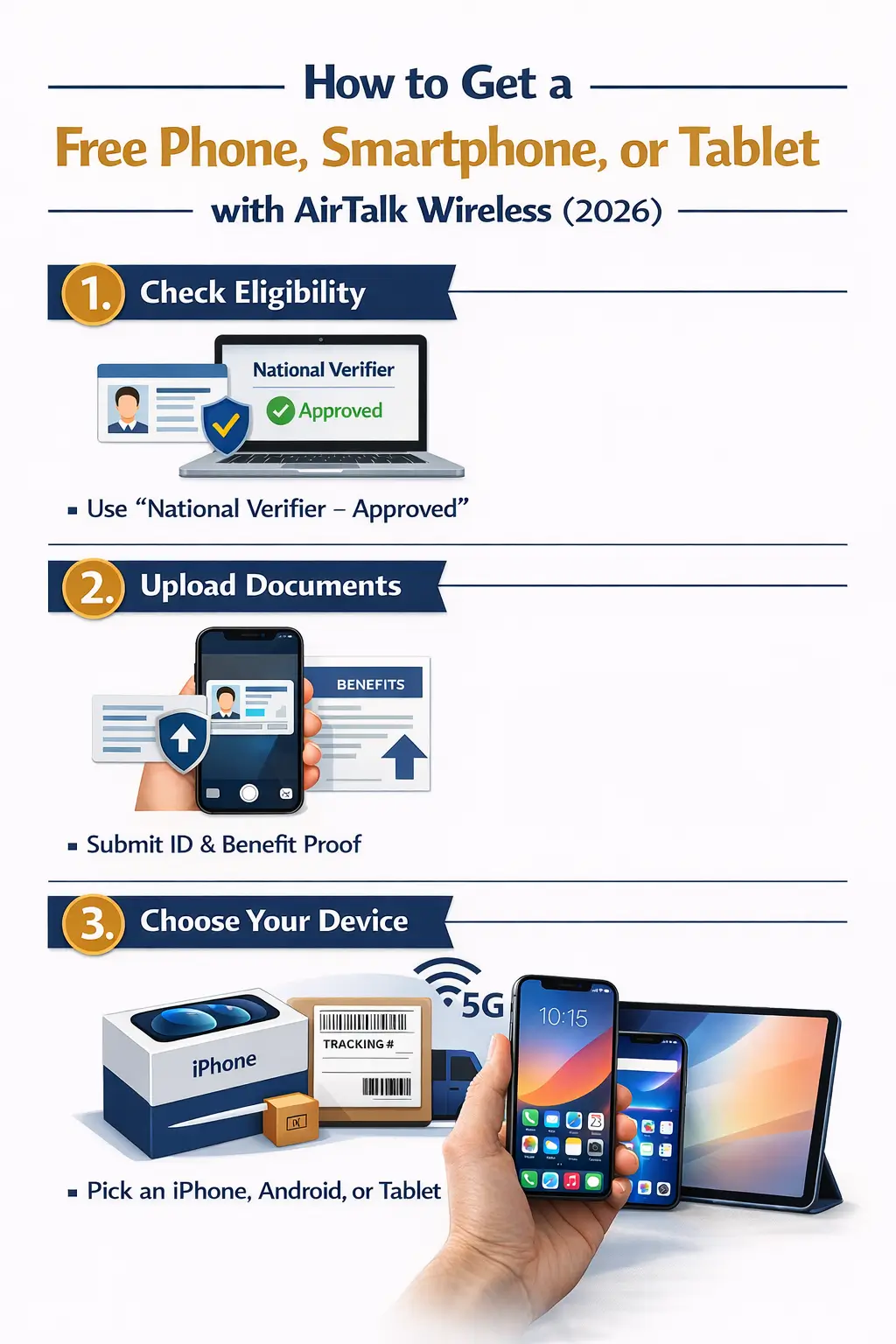
Step 1: Start on AirTalk’s Official Website
Visit the official AirTalk application page and enter your ZIP code to begin. You may be asked for your legal name, date of birth, address, and identity information during the application process.
You can also review official Lifeline verification information through USAC’s National Verifier information.
Step 2: Prepare Proof Before Uploading
If the system cannot verify you automatically, you may need to upload documents. Common examples include:
- Proof of identity: State ID, driver’s license, passport, or another accepted ID document.
- Proof of program participation: Benefit letter, official notice, or other accepted proof showing current participation.
- Proof of income: Recent income documents if applying through the income route.
- Proof of address: May be needed if your address cannot be verified.
Clear documents matter. Blurry, cropped, expired, or mismatched documents can delay review or lead to a request for more information.
Step 3: Choose a Device or Service Option
After eligibility and application steps are completed, AirTalk may show available service and device options. This is where you should carefully review whether the device is free, discounted, refurbished, certified pre-owned, or tied to a specific shipping or upgrade term.
If you already have a compatible phone, a SIM-only or bring-your-own-device path may be more practical than waiting for a specific device model.
Plans and Service: What Should You Check?
AirTalk promotes Lifeline service options that may include talk, text, data, and international calling features. Exact plan details can change, so users should confirm current terms directly on AirTalk’s plan or application pages.
- Monthly cost: Eligible Lifeline users may qualify for no-cost monthly service, depending on current terms.
- Talk and text: Review AirTalk’s current plan page for the latest talk and text details.
- Data: Data amounts and speed management rules can vary by plan and provider terms.
- International calling: AirTalk currently promotes international calling features, but users should confirm country list and limits on the official page.
- SIM or device kit: Check whether your application includes a SIM, phone, tablet, or upgrade option.
If international calling and stable data matter to you, read our detailed TruConnect review for a side-by-side look at another provider option.
Support and In-Person Enrollment
AirTalk may provide online support, phone support, and in-person help through listed locations or enrollment channels. Because hours and locations can change, confirm support details directly on AirTalk’s official website before visiting or calling.
- Online application: Start through AirTalk’s official application page.
- Phone support: Use the current number shown on AirTalk’s official contact page.
- In-person help: Confirm address, hours, and services before visiting any listed location.
Troubleshooting Common AirTalk Issues
If your AirTalk phone arrives but data or calling does not work correctly, the issue may be related to activation, SIM setup, APN settings, coverage, or device compatibility. Do not assume the phone is defective before checking the basics.
- Make sure the SIM card is inserted correctly and the phone is restarted.
- Check whether your device shows active service bars in your location.
- Review AirTalk’s official activation or APN instructions for your device type.
- Contact AirTalk support if data, calls, or texts still do not work after setup.
Pros and Cons of AirTalk Wireless
| Pros | Cons |
|---|---|
| May offer stronger device choices than basic Lifeline providers. | Specific phone models are not guaranteed. |
| May show iPhone, Android, tablet, or SIM-only routes. | Inventory and upgrade pricing can change by ZIP code and time. |
| Useful for users who want to compare device options before applying. | Manual document review can slow approval. |
| Official provider application route is available online. | Support experience may vary depending on issue type and location. |
FAQs
Is AirTalk Wireless legit?
Yes. AirTalk Wireless is a real Lifeline wireless provider. Users should still confirm current service, device availability, and application terms directly on AirTalk’s official website before applying.
Is AirTalk Wireless free?
Eligible Lifeline users may qualify for no-cost monthly service through AirTalk. Some device options may be free, while other models may require an upgrade cost, shipping cost, or other provider-specific term.
What carrier does AirTalk Wireless use?
AirTalk provides wireless service through partner network arrangements. Your actual experience can depend on coverage, phone compatibility, network conditions, and location.
How long does AirTalk Wireless take to approve?
Some applications may move quickly when identity and eligibility information match. Others can take longer if documents require manual review or if information needs correction.
What are the best AirTalk Wireless phones?
The best AirTalk phone is the strongest model available to you during the official application or checkout process. Possible options may include iPhone, Samsung, Motorola, Google Pixel, or other devices, but exact models are not guaranteed.
Does AirTalk Wireless really offer iPhones?
AirTalk may offer iPhone options to eligible users, but availability changes. Treat iPhone models as provider inventory options, not guaranteed benefits.
State-Specific Benefits: Where Can You Apply?
AirTalk availability, provider options, and practical application issues can vary by state and ZIP code. Review your state guide before applying so you understand local options and common document issues.
- Texas residents: Read our Texas Wireless Benefit Guide.
- California residents: Read our California Wireless Benefit Guide.
- Florida residents: Read our Florida Wireless Benefit Guide.
Checking your state guide can help you compare provider options and avoid relying only on a single device offer.
Conclusion
AirTalk Wireless is a strong provider to compare if you want Lifeline service with possible phone choices, including iPhone or better Android options. Its biggest advantage is device variety. Its biggest weakness is that exact device availability can change and is not guaranteed before the provider confirms your options.
Before applying, confirm your eligibility route, prepare clear documents, review current provider terms, and check the device or plan details directly on AirTalk’s official application page.